
Ongoing Operations and Reporting
Purpose
To support daily operations and continuous improvement
Who Should Review This Information?
All administrative users
Key Functions
- Task updates and corrections: How to Edit an Activity Note as an Admin
- Running reports:
eCaring offers different areas to view key information regarding your agency. The more information you enter into eCaring the more detailed your reports can be. Review the following article for information of creating, running, and saving reports: How to Create & View Reports - Visit your tenant Insights

This area allows you to easily view your KPI Dashboard by specific date ranges as well as other great information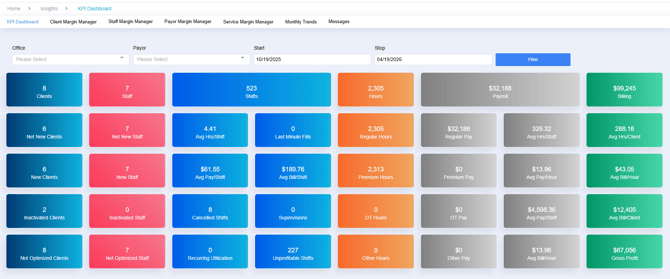
Reporting Steps
- Access the reporting dashboard
- Select the report type and the information needed
- Generate and review data
Additional Resources
- Watch your email for important release notes for updates or visit: Release Notes to view all the exciting things happening with eCaring
- Once you have completed your first Accounting Cycle you will transition to eCaring Support for any questions you may have. Please email support@ecaring.com or select here to Contact Support. When contacting support be sure to include detailed information to get the help you need quickly.
Best Practices
- Review your data frequently for helpful information
- Use reports to identify operational inefficiencies
- Stay updated with system enhancements