
Synchronization in the context of the eCaring application refers to the process by which data is transmitted from the caregiver's device to the server. This process can occur in two primary ways:
-
Manual Synchronization: Caregivers can manually trigger synchronization by using the "save" button located on the activities page of the application. This action forces the upload of any data that has been entered to the server.
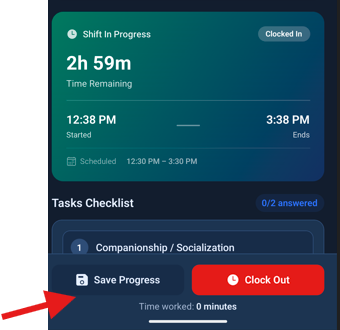
-
Automatic Synchronization: In addition to manual uploads, the application also performs automatic re-syncs at various intervals. This ensures that the data remains current and consistent between the caregiver's device and the server.
It is important to note that synchronization is not solely dependent on the caregiver's actions. The application is designed to handle these processes automatically, which helps maintain data integrity and reduces the likelihood of errors, such as duplicated tasks.
Synchronization in the eCaring application is a crucial function that allows caregivers to update and maintain accurate records by transmitting data to the server either manually or automatically. Understanding this process can help caregivers effectively use the application and ensure that their data is always up to date.