To streamline the Visit Verification workflow, we have also redesigned key areas of Shift Details with workflow-focused UI improvements that make review and approval faster and more intuitive.
Official Time
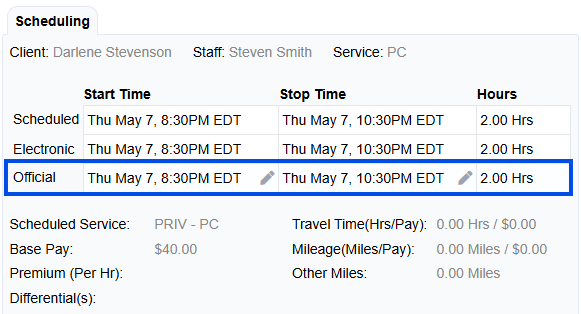
Official Time has replaced Approved Time. Users should consider Official Time as the time they are stating that the Client was under the direct care of one of their Staff and represents the times that will be listed on the Activity Record.
If tenants utilize the payroll rounding setting, the same 7 minute rounding rules will still apply to Official Time like they did for Approved Time. Users can elect to Pay and Bill based on the Official Duration (after rounding is applied if enabled) or select Override to update the Pay and/or Bill durations.
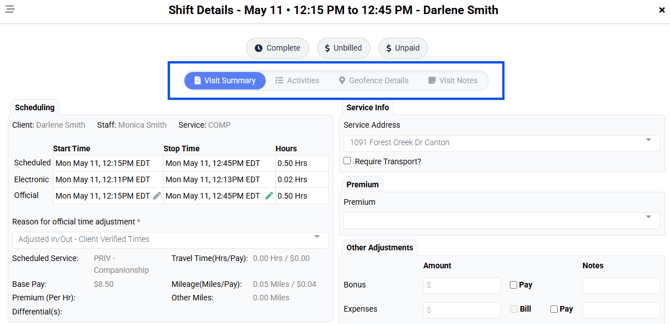
Shift Details Quick Navigation
One of the first changes you will notice is a navigation bar at the top of Shift Details. These quick links are designed to provide users with the most crucial components needed at time of Visit Verification - Visit Summary, Activities, Geofence Details, and Visit Notes. The default landing section is Visit Summary/Shift Details.
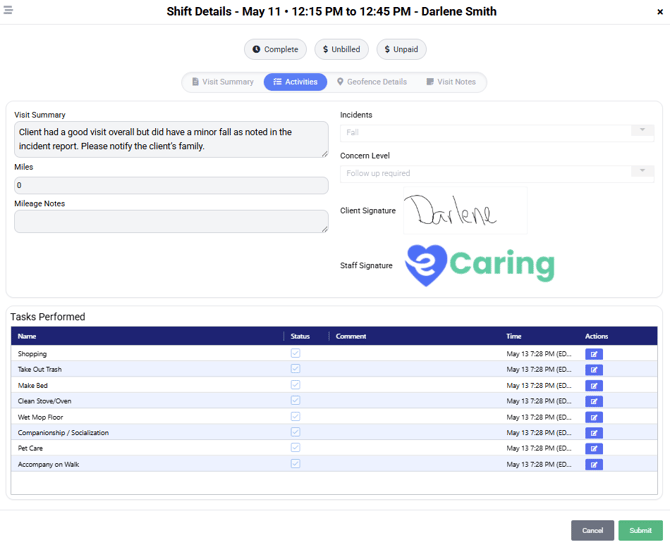
Activities gives users the same view as Activities or the Activity Form viewer available in the Verification Grid. This will allow you to see all the visit note details, signatures, as well as the ability to view/edit Tasks.
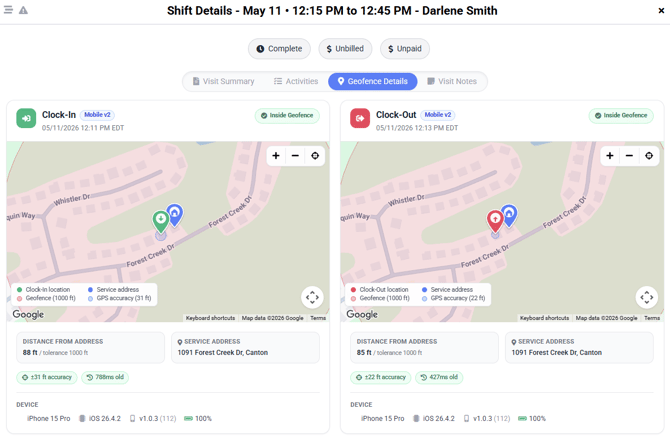
Geofence Details will allow users to see the pin locations on a map of clock-in and clock-out in relation to the client address.
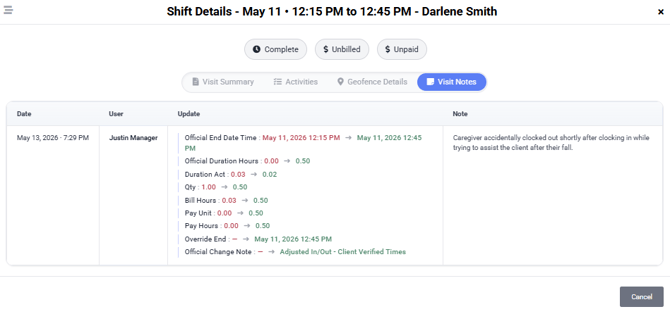
Visit Notes will allow users to see any Overrides that have been applied to the visit. Users can see who applied a change and when, and what change was applied. The Shift Details Override Notes setting will still work the same way and the modal will display (or not) based on tenant settings - Enabled and Required, Enabled but Not Required, or Disabled.
Date Adjustments
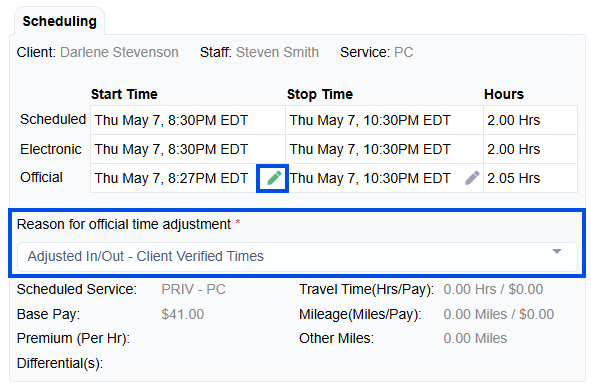
Now users can apply date adjustments directly to the Official Start and/or Official End Times by clicking the edit icon next to the time.
A new addition will also now require users to select the reason for the Date/Time adjustment. This will also improve EVV workflow as we will send a more detailed reason for date/time adjustments.
Manual Clock-In and Clock-Out added to Shift Details
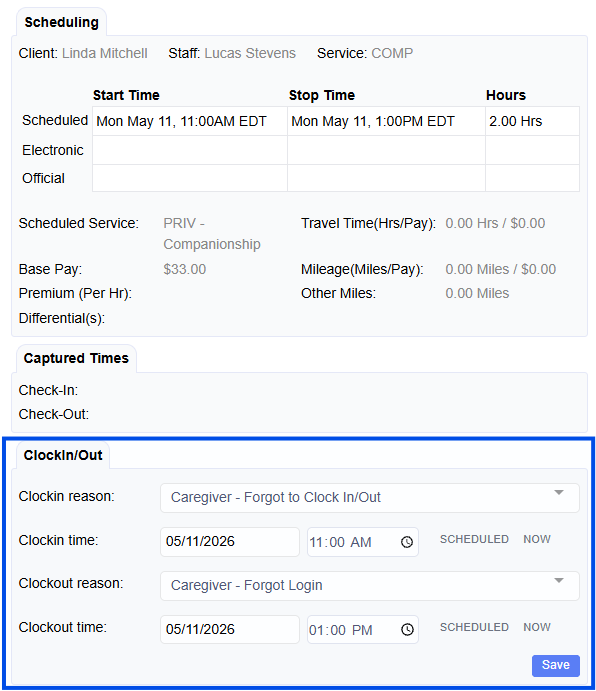
The ability to add a Manual Clock-In or Clock-Out has been added to Shift Details. Previously, users would have to navigate to the Client or Staff Schedule to perform this action. This will improve workflow efficiencies by allowing users to enter clock-in and clock-outs via Shift Details during Visit Verification. This feature will still be available on the Client and Staff calendars in the Edit Shift view.
Premiums
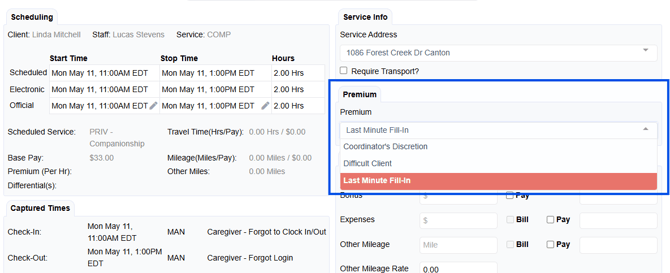
Premiums have been moved out of the Payroll Overrides section and now has its own section.
Payroll Overrides
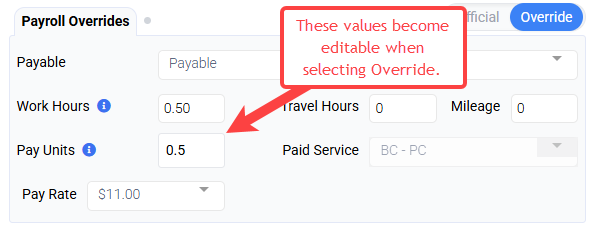
Work Hours determine the time that will be used to calculate Hours Worked, Overtime, and PTO accruals.
Pay Units determine how much a staff will be paid - Pay Units x Pay Rate. Pay Units are what you will see on the payroll exports.
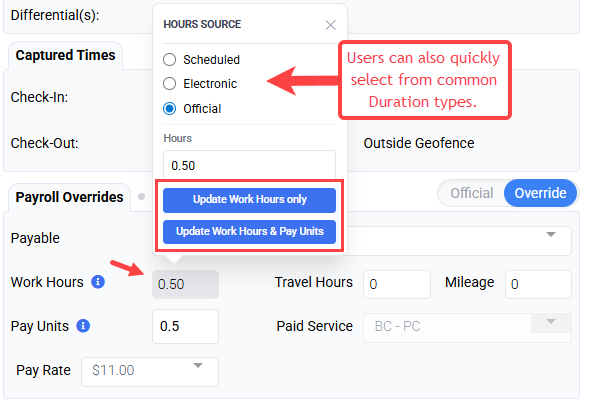
When applying an Override to Work Hours or Pay Units, users can select to update only the field they selected or BOTH.
Billing Overrides
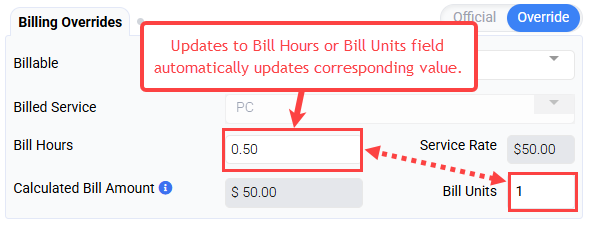
When selecting Override for Billing, if a user updates the Bill Hours or Bill Units field, the corresponding field is automatically updated.