
Notes:
To enter a note for tracking purposes in both client and staff profiles
Step 1: Access Profile
- Access the profile you would like to add a note in
Step 2: Select Notes & To Do
- Navigate to the Notes & To Do menu
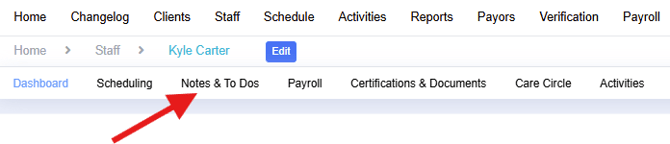
- Select on Notes
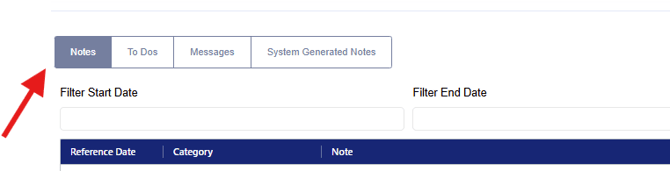
In this area you will find any past notes entered by your agency, you also have the option to filter by dates, category and status to easily search for past notes

Step 3: Add Note
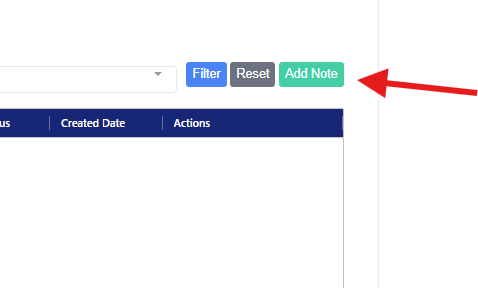
- Select Add Note at the top right hand side of your Notes Dashboard
- Completed all required areas and select Submit
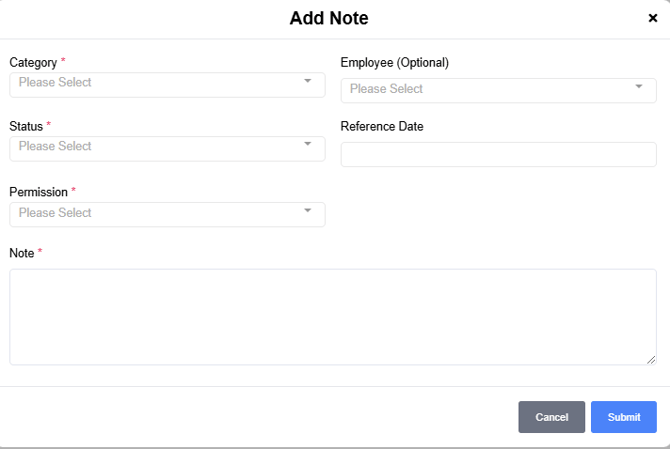
- Once you select submit you will have access to your note on the Dashboard
To Filter notes:
There are various options to filter notes to assist you in locating and tracking notes.

By date: Enter a date range in the Filter selection or select in the space after date to change the order in which the dates display
Category: Select a category from the Filter selection or select in the space after the word category in the grid to regroup the order of display
Status: Select a status from the Filter selection or select in the space after the word Status in the grid to regroup the order of display
Reports:
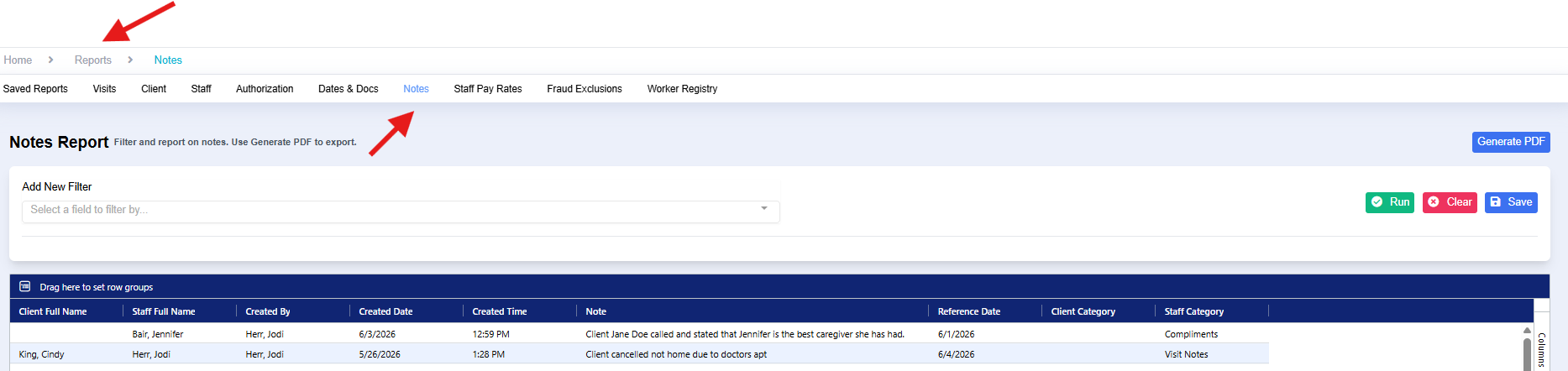
Users can also view Notes in the Reports area under the Notes area.