
Canceled visits that are marked as payable and have been approved for payroll will appear on Payroll Export for ALL Payroll templates.
Canceled visits that are marked as billable and have been approved for billing will appear on Billing Export for ALL Billing templates.
To begin, navigate to the System Settings menu and select Financials.
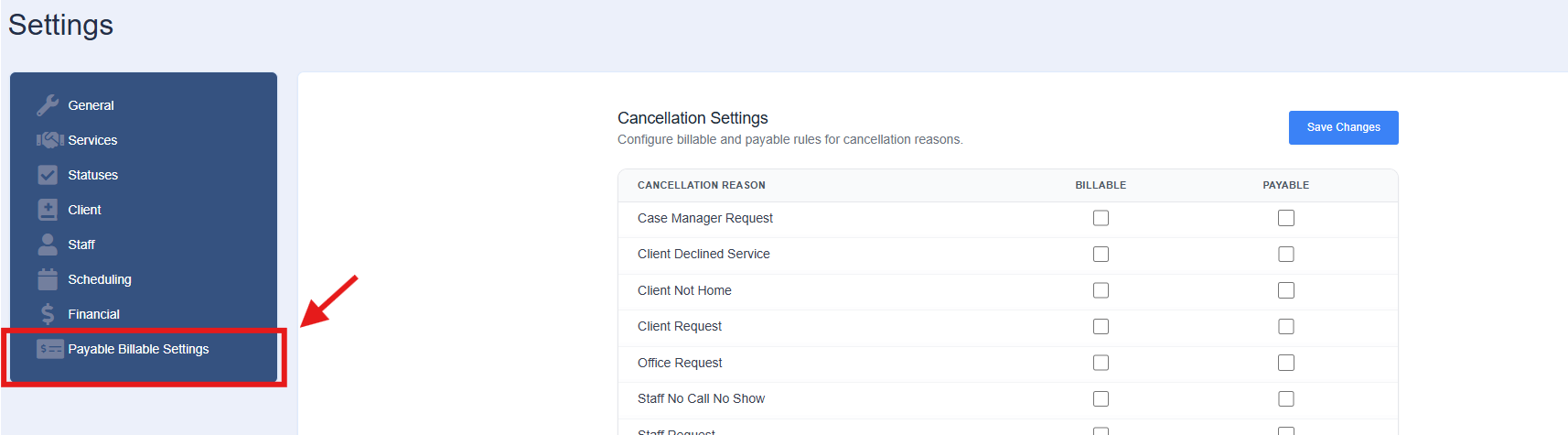
In this area, users can configure default rules for which portion of a visit should be payable and/or billable for each Cancellation Reason. If a visit is Cancelled, it will have an Override.
The following configuration options are available:
-
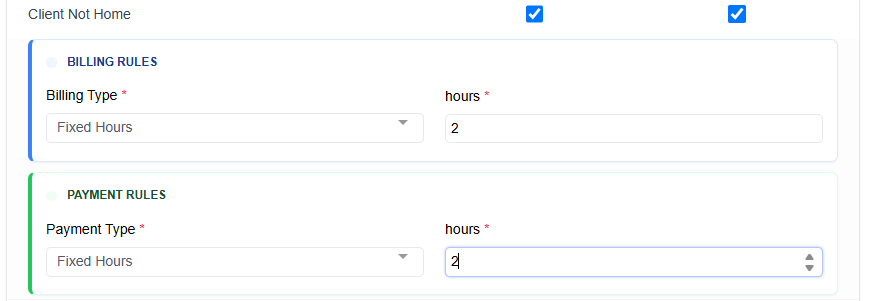
Percentage of Shift with a minimum and maximum hour amount
-
Scheduled Time
-
Fixed Hours
Users can also override these default hours values in Shift Details if needed. T
In the case of a cancelled visit that is payable and/or billable, the Payroll and Billing basis will = Override
-
If the rule is to Pay and/or Bill to Scheduled time, the Payroll/Billing basis will = Official Duration and use the Scheduled Duration
-
If the rule is to Pay and/or Bill to anything OTHER than Scheduled time, the basis will = Override and apply the configured rule to derive the Duration
-
If Official is selected within Shift Details, the Work Hours/Bill Hours will = the Scheduled Duration
-
How to Configure Cancellation Rules
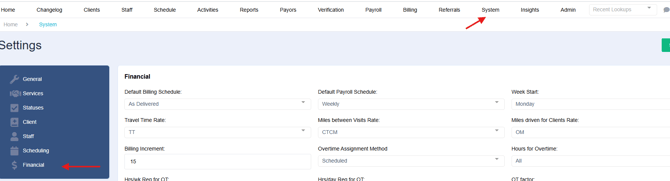
Select on System and then Financial
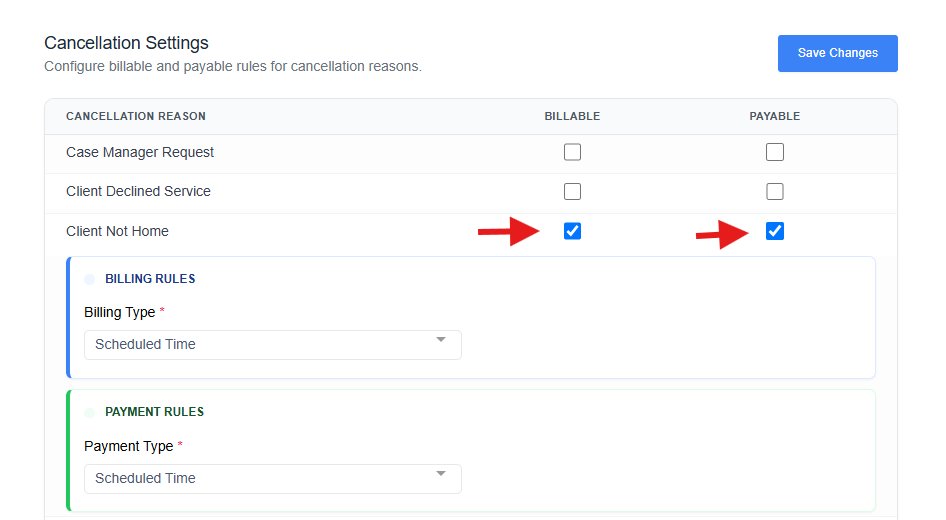
Select on Payable and Billable Reasons
Select on the corresponding Rule
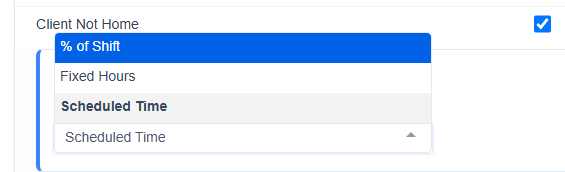
Determine how you would like to bill or pay for this reason
Once the list is reviewed, be sure to Save Changes at the top of the page
When a shift is canceled, that shift will be marked as billable/payable according to the selections made on this screen.
Refer to your payor's guidelines or your business' private pay guidelines to determine what is billable.