
Step 1: Delete and Uninstall the App
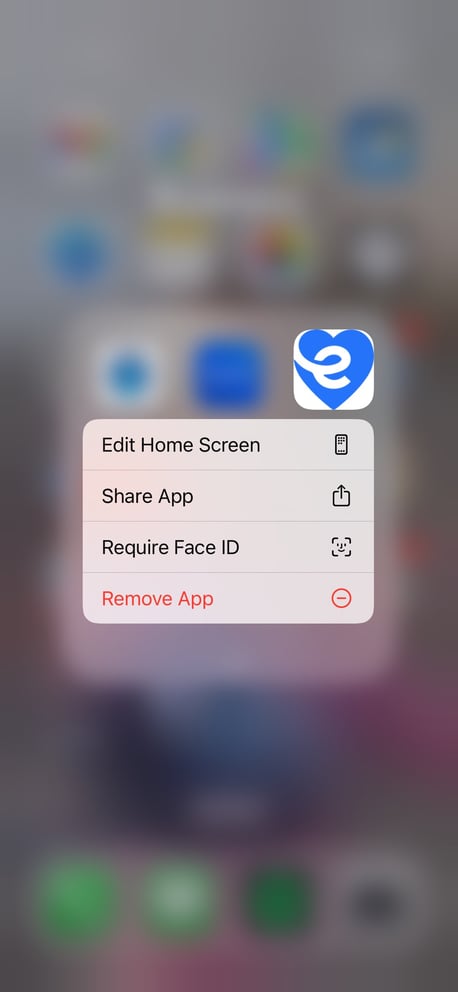
Navigate to the eCaring app icon on your screen and long press on the app. This will open up a small menu.
Select Remove App.
Step 2: You will need to delete the app entirely as this will also delete any data that may be causing issues.
Select Delete App to remove the app from your phone.
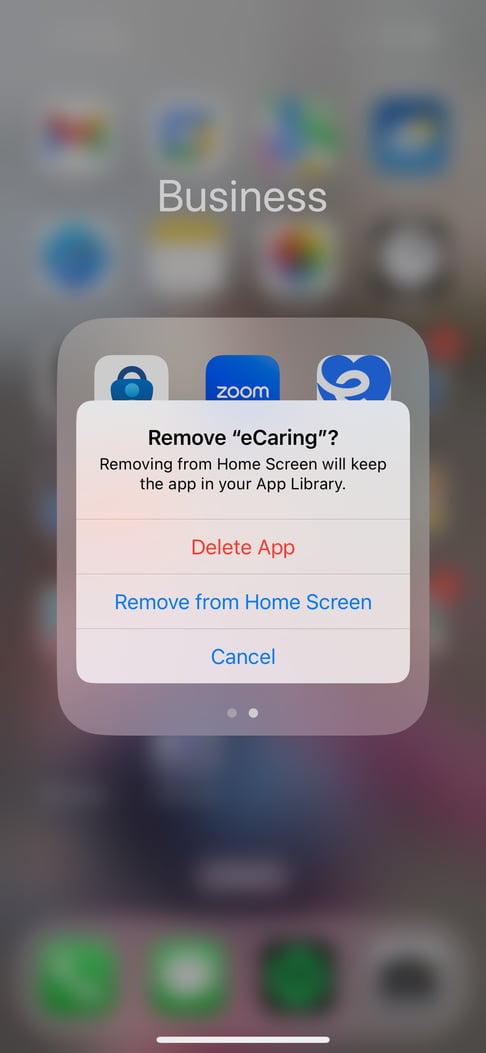
Select Delete again to confirm you want to delete eCaring.
Step 2: Download the eCaring Mobile App
- To redownload the app from the AppStore (iOS) search for the app, eCaring Staff.
iOS App Store View

- Download the app.
- Open the eCaring Staff app and you will be brought to the sign-in page.
- Enter the email you provided to your employer and enter the password you set when you received the email invitation to the app.
- Once logged in you'll be brought to the eCaring homepage!