
Step 1: Access the client profile
- Select on client profile
- Select Authorizations

Step 2: Edit the Authorization for Update
- Select the edit option for the authorization

- Once edit is selected, you will be given the option to edit the Authorization immediately or with a start date. Select the corresponding option.
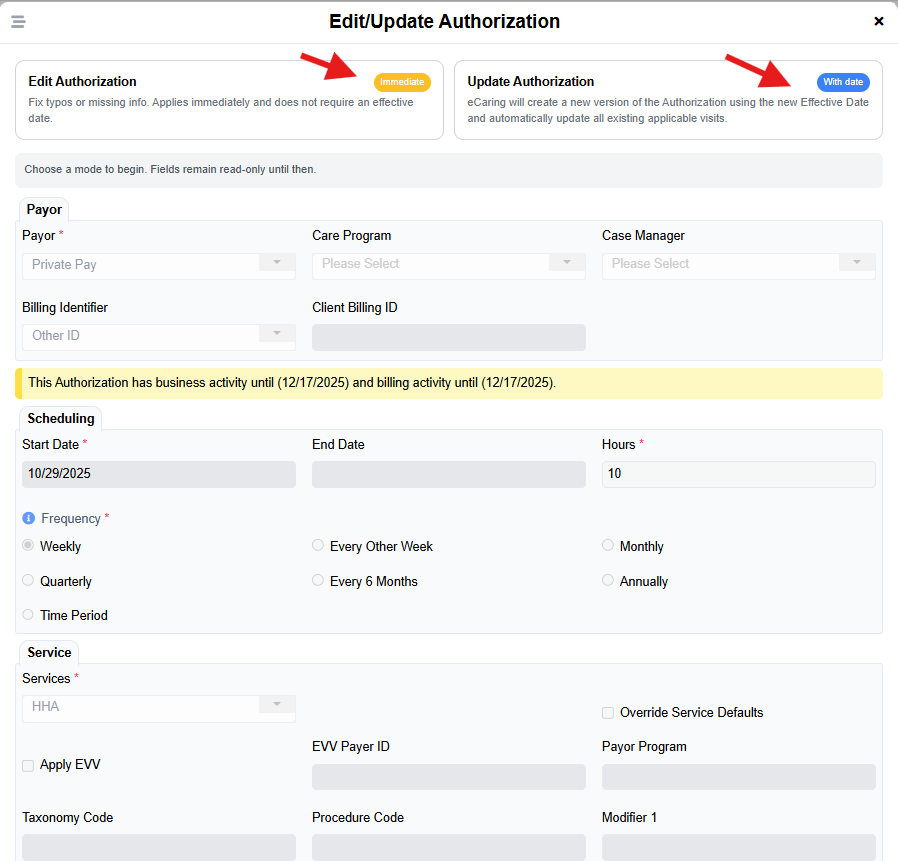
If selecting Edit Authorization, update the needed information in the box as needed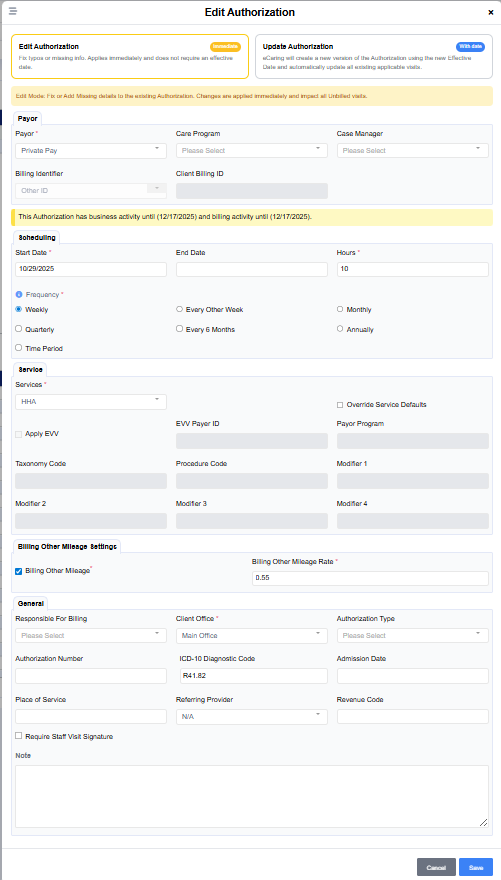
- Some information such as Payor and Services cannot be updated.
If selecting Update Authorization, you will be required to also enter a new Effective Date to reflect the change. Review the message in red for information on visits that have already been completed or billed.
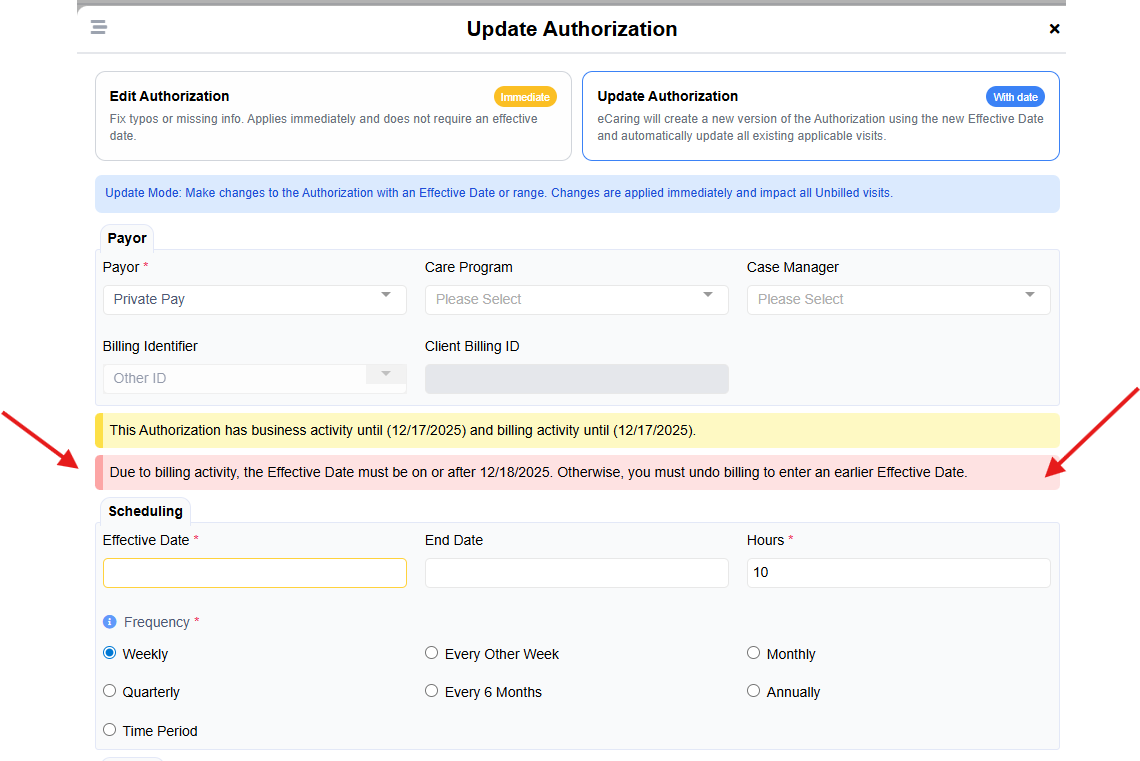
- In the event the authorization has expired or the Payor/Service was entered incorrectly, enter an End Date

- Update information needed and select Save