
When a user forgets their password, they will use their email to receive a link to reset it. The process is straightforward:
- Access the Login Screen: Open the app and navigate to the login screen.
- Select "Forgot Password": Click on the "Forgot Password" option.
- Enter Email Address: Input the email address associated with the account.
- Receive Reset Link: Check the email inbox for a password reset link.
- Follow Instructions: Click the link in the email and follow the instructions to create a new password.
If additional assistance is needed, an Admin can manually request a password reset by completing the following steps:
1. Access the staff profile
2. Select Edit Profile
3. Select Login Details
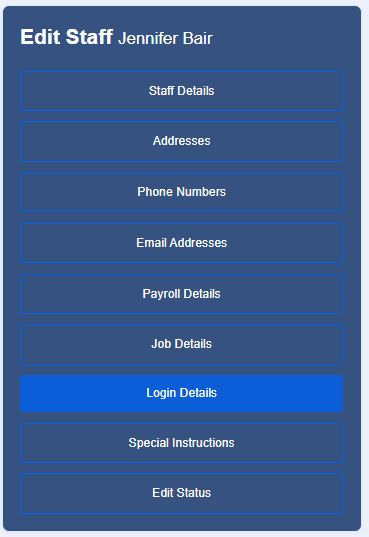
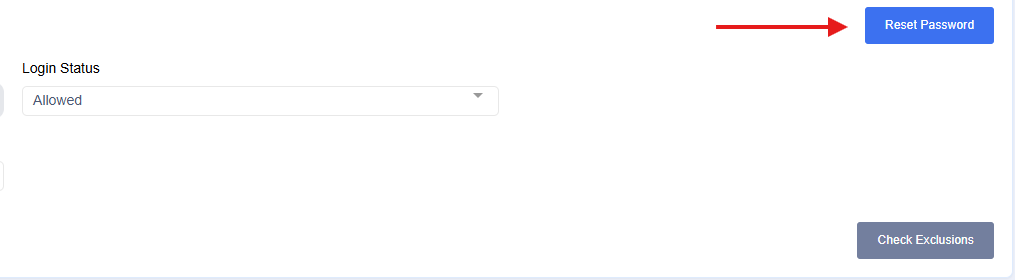
4. Select Reset Password to send an email to the staff to reset their password
This process ensures that users can regain access to their accounts securely by using their registered email address to receive the reset link.