There are cases when a working relationship between clients and caregivers does not work out. In these cases, it is easy to flag the caregiver for this client to avoid scheduling issues in the future.
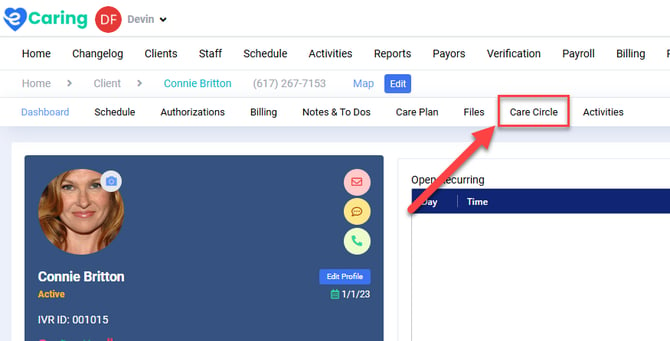
Navigate to the client's Care Circle by selecting Care Circle from their client profile.
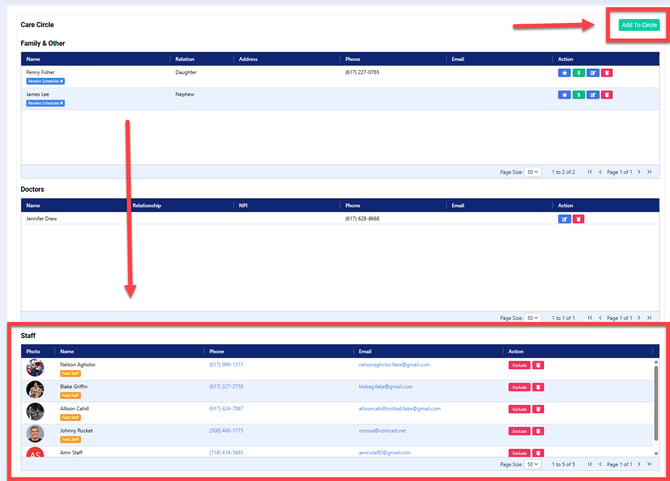
You can select one of the staff members from the Staff list.
Or, if you do not see the staff member on the list, select Add to Circle in the top right hand corner.
Excluding the Staff
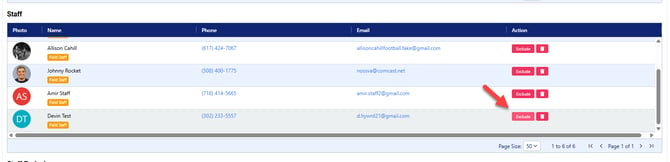
Select the Exclude button for the staff member you want to block from scheduling with the client.
Select a Reason from the dropdown menu; you may select more than one Reason.
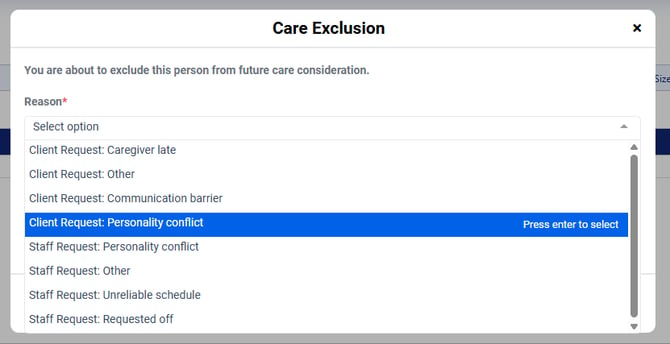
Include a Note explaining the Reason(s) selected.
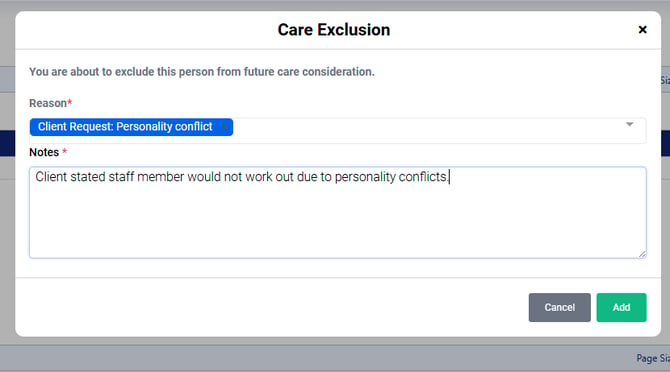
Click Add when complete.
The staff will now populate under Staff Exclusions.
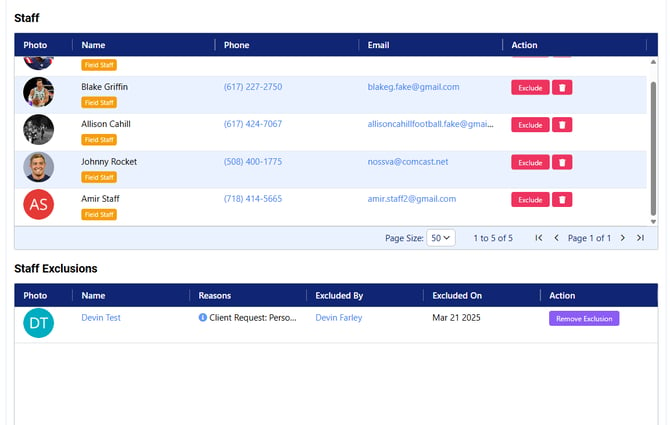
Unexclude the Staff
To unexclude a staff member from the client's Care Circle, select Remove Exclusion.
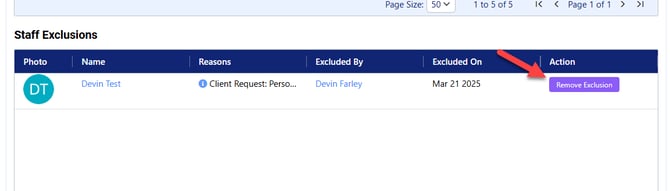
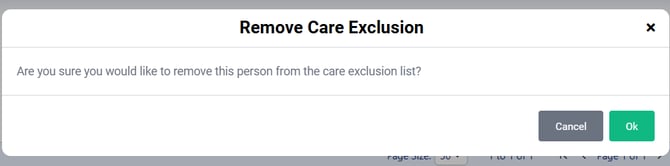
Confirm you'd like to remove the staff member by selecting OK and they will reappear in the Staff list.