
If an authorization has expired, proceed with the following steps:
Note: If a client is being discharged an authorization does not need to be end dated unless it will not be used in the future if the client returns.
Step 1: Access the authorization
Select the calendar icon next to the authorization from the Authorizations Dashboard

Step 2: Enter End Date

Step 3: Select Set to save
Note: If you have an open recurrence past the end date, you will receive the following message:
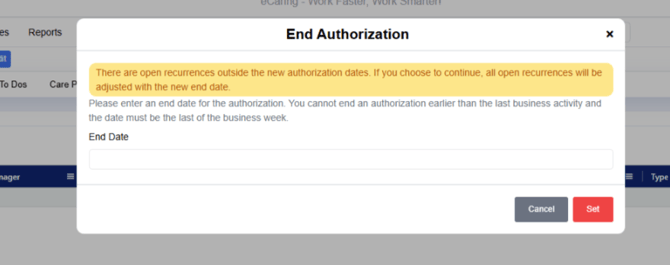
End date the recurring schedule and re-enter the authorization end date again, and select Set