Please refer to your specific state's specifications document if you need assistance with payor programs and procedure codes for Sandata, you can access them here: State Guides or at this link for HHAeXchange: State Configuration Guides
Step 1: Open a support ticket with eCaring if you do not already have EVV set up.
- Click here: eCaring Support Ticket
- For "Issue" field, please enter: "EVV Aggregator Integration"
- Our support team will verify that your aggregator has released your credentials to eCaring and will notify you once we have them.
While eCaring works on your request, please complete the the steps below:
Step 2: Configure your Payors for EVV
Go to: https://app.ecaring.com/v2/payors

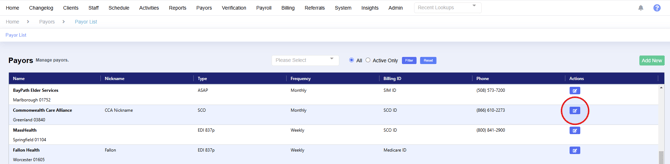
Click the "Edit" button under actions for each Payor that will utilize the EVV Aggregator
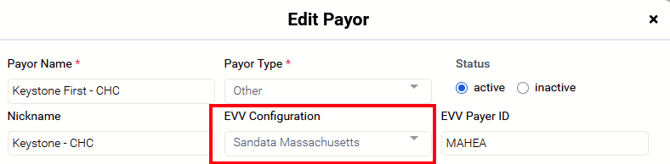
Select the EVV Aggregator from the drop down menu in the EVV configuration field.
*If no options display in the drop down menu skip this step and continue with the remaining steps, once eCaring receives and configures your credentials from the aggregator we will notify you to complete this step.
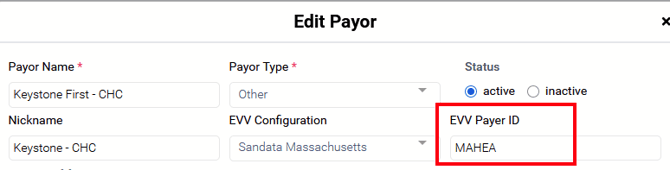
Enter the EVV Payor ID (if applicable) and click "Update" at the bottom of the form to save your changes.
Step 3: Configure your Payor Services for EVV submission
Go to: https://app.ecaring.com/v2/payors
Choose one of your payors with EVV mandated services.
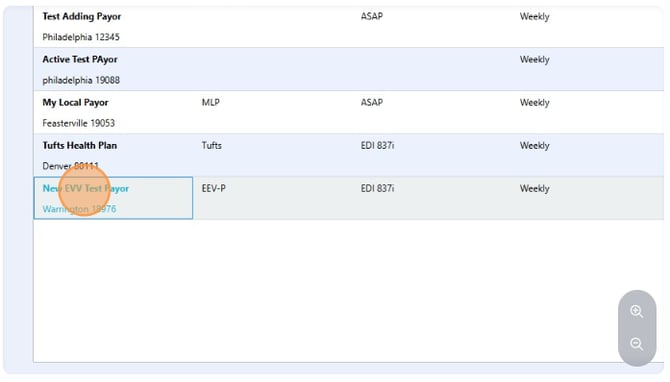
Click on the "Edit" button under Actions for each service you want included in the EVV submissions.

Enter the following information as required by your Aggregator:
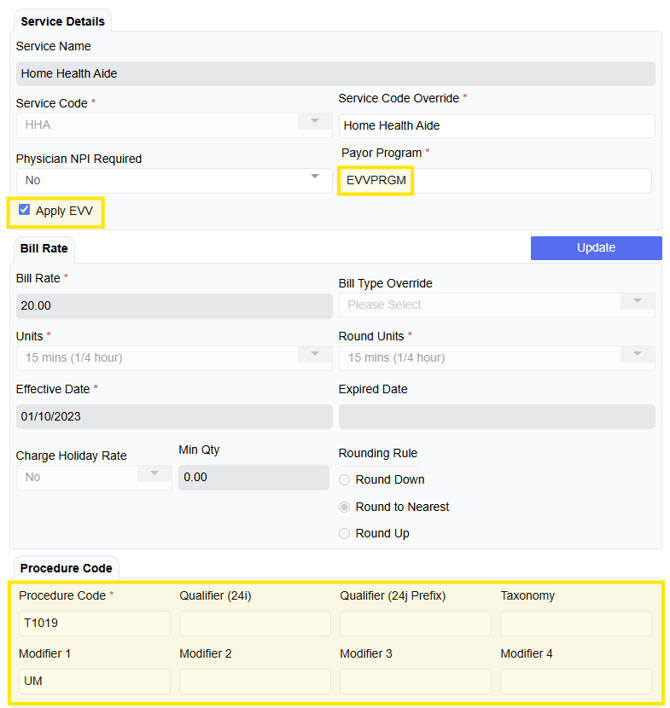
- Payor Program ID - This can be found from either the authorization or the state's EVV specification documents. For assistance in locating this information for Massachusetts ASAP Members - Click Here
- For Agencies submitting EVV data to HHAexchange, this value is not used. However, it is a required field in eCaring, enter "NA".
- Check the "Apply EVV" box, this tells eCaring that visits associated with this service should be sent to the aggregator.
- If not already populated for billing, enter your Procedure Codes and any required Modifiers or Qualifiers according to your Aggregator's requirements.
- Once you've entered all information, click "Update" at the bottom of the form.