
Navigate to the edit option for the Staff Profile

Do not make changes to the address from the Staff Details area
To update an address, select on Addresses

In this area, you have the option to add a new address or update the existing.
To update an existing address, select the edit option

If you would like to retain the previous address, select Add New
Enter the new address and select Primary Address and Submit
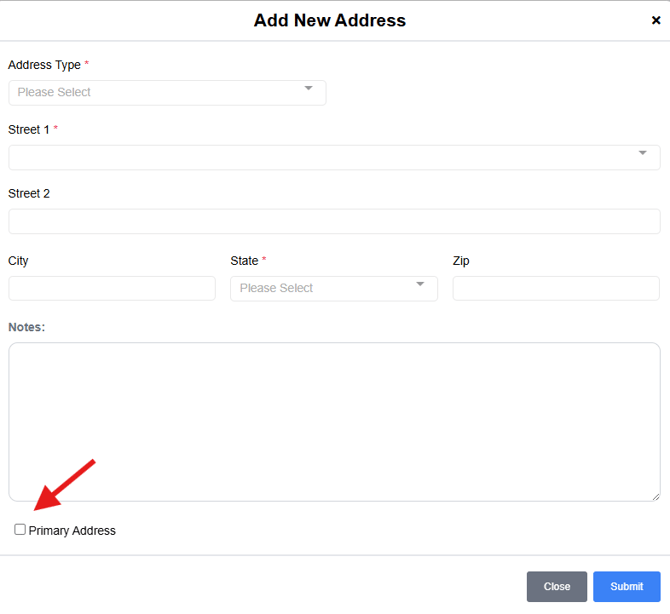
Please note: If Primary Address is not selected on an address, the Staff Details address fields will be blank.
If a Phone Number needs to be updated, select on Phone Numbers; here you can edit or add a new number.


Email Address cannot be updated as this is used to access the app. If a primary address needs to be updated, please contact support for further assistance.
If you would like to enter a secondary email, select Add New
