Within the staff dashboard is a section called Availability.

Included is a subsection called Current Week, which details how many hours a staff member would like to work, how many hours they are scheduled for, and how many available hours they have open for the week.
Desired Hours - Hours Scheduled = Hours Available

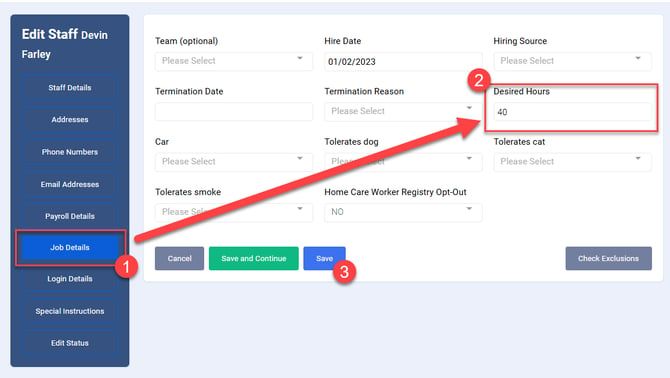
You can enter or change the staff member's desired hours by selecting Edit Profile, then Job Details.

Enter the desired number of hours, then click Save.