
Step 1: Verify Payroll (Refer to Payroll Verification if needed)
Step 2: Select on Payroll

- Once you are on the payroll page, enter the pay Ending Date
- Select the Resource Type you wish to generate
- Select Preview Payroll to review items in the payroll cycle. This area will allow you to review the staff payroll totals and visits prior to submitting.
- When ready, select Run Payroll
- Pay details will populate in the grid
Step 3: Select Payroll History

- This area allows you to view historical payroll data
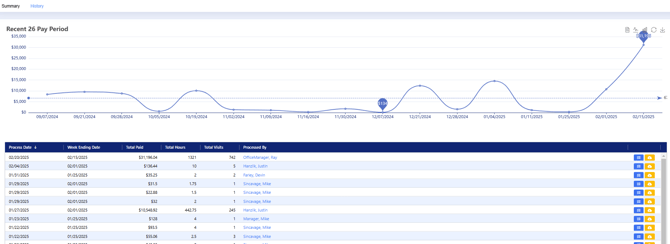
Step 4: Review Payroll Data or Download

- Select the blue icon to access payroll information
- To download the payroll file directly from this page, select the download icon

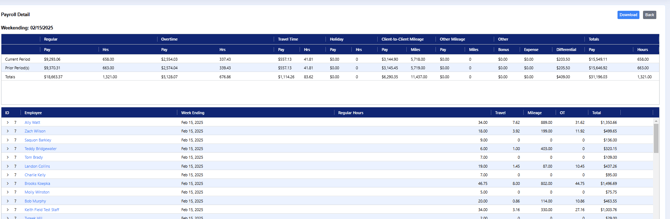
- This area allows you to review payroll information by employee
- You can also download the payroll file by selecting the Download Option