
Users can assign a Role to a profile by navigating to Admin > User List. Or by selecting Edit Profile with the staff profile.
Assigning Roles By the Staff Profile
Select on the Staff Profile you would like to add or update the role permission

In the Office Roles section, select a role from the drop down list. You can also remove a role by selecting on the "x" to remove this permission level.
Once the Permissions are adjusted select save
From the Admin Dashboard

The User List tab will show a list of all users and you can assign a role(s) to that user.

By clicking on the Roles tab, users can View all the profiles that have that Role assigned by expanding the Role Name.

Click the Edit icon this will allow you add or remove roles from that listed user. Clicking Delete will remove that particular Role from the user profile.
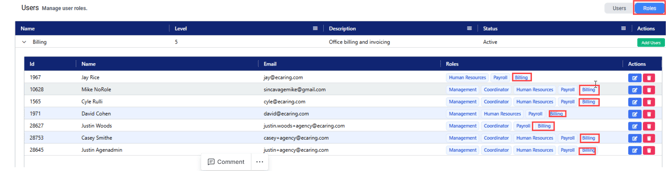
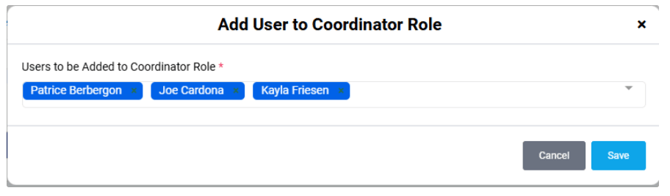
Clicking Add Users next to a Role will allow users to bulk assign profiles to that specific Role.

Select name of user
For more information on Creating Roles and Permissons visit: How to Create and Edit Roles & Permissions
If you need assistance assigning roles, please submit a ticket,and the support team will be happy to help!