
Assigning Primary Schedulers and Nurses to Client and staff profiles allows you the option to turn on notifications for missed clock-in/out alerts.
Steps to Assign a Primary Scheduler for Notifications
Prior to assigning these roles to profiles, the Primary Scheduler and Nurse profiles will need to have the correct Roles associated to the profile.
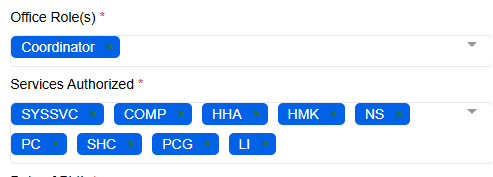
For Primary Scheduler: Office Role of Manager or Coordinator should be assigned
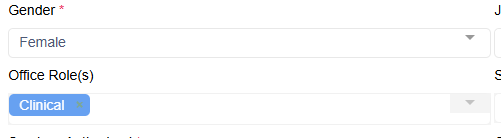
For Primary Nurse: Office Role of Clinical should be assigned
-
Access the Client or Staff Profile
- Assign the Primary Scheduler and Primary Nurse:
Select edit profile, find the section for assigning staff roles.
- Select the staff member you wish to designate as the primary scheduler from the drop-down.
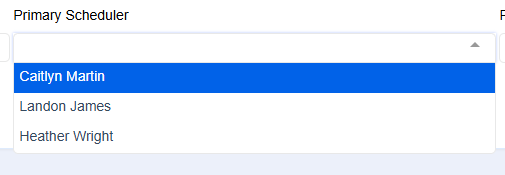
- Select the staff member you wish to designate as the primary scheduler from the drop-down.
3. Enable Personal Alerts:
-
- Go to the Admin menu in the main menu bar.
- Select "Alerts and Notifications" from the left-hand side menu.

- In the Alerts and Notifications page, locate the section for "Missed Clock-in and out"
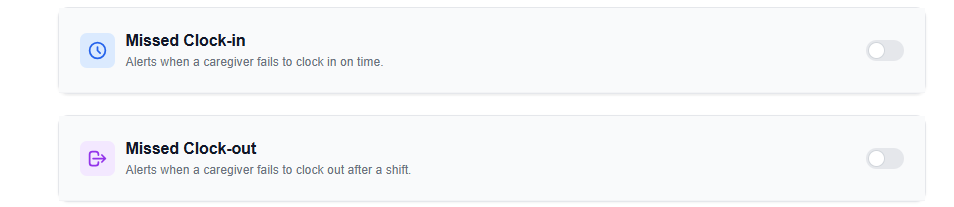
- Select the toggle to turn on notifications
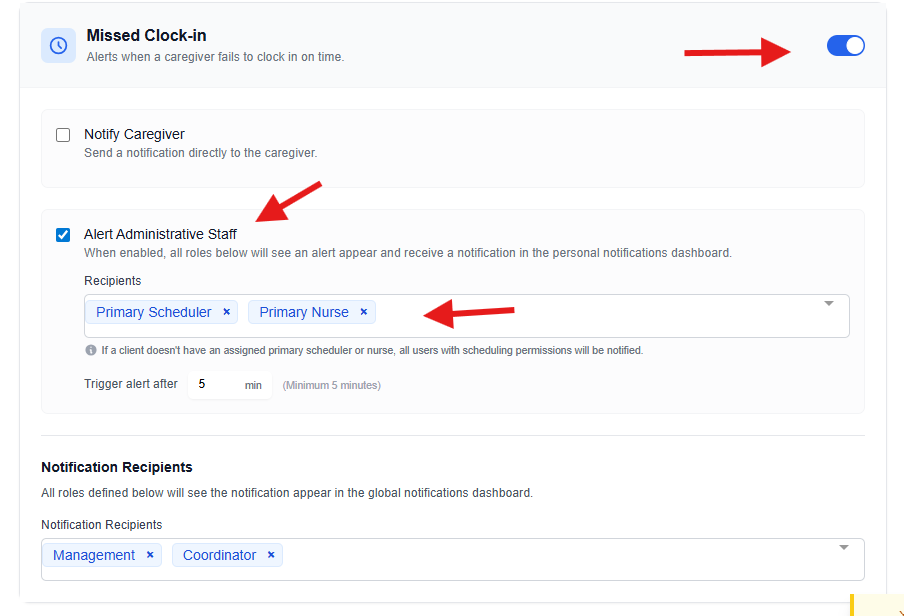
- Ensure that you select the primary scheduler and/or nurse who should be selected to receive personal alerts.
-
Save Changes:
- After making the necessary selections, remember to click "Save Changes" at the top of the page before exiting.
By following these steps, you can effectively assign a primary scheduler to receive notifications for late clock-ins and outs, as well as designate a staff member to receive the alerts. Ensure that all changes are saved to activate the notifications. If you encounter any issues, revisit the settings to confirm that all roles and alerts are correctly configured.